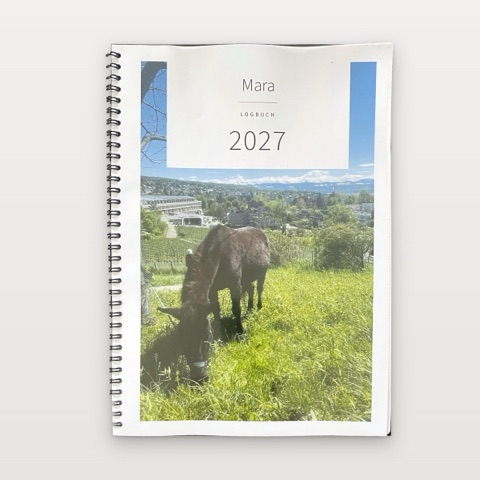
Horse Logbook
Printing tips
Printing the logbook at home, punching or stapling it and storing it so that it survives a year in the stable. Most of it is quickly set up – once you know what matters.
In short: the essentials
- Print at actual size. ‘Actual size’ or ‘100 %’, not ‘Fit to page’.
- Print on both sides. A4 in a ring binder: flip on the long edge. A5 booklets: on the short edge. Only ‘A4, front only’ is printed on one side.
- One test sheet first. Only once the margins and the back are right, print the rest.
- Write with a pencil in the stable. It still writes in the cold and on damp paper.
Which paper?
Ordinary copy paper of 80 g/m² will do. 90 to 100 g/m² is better: it shows less through when you write on both sides, and it lasts longer in the stable. Most printers handle it without any trouble – if in doubt, the limit is in the manual.
Use matt white paper. No pencil holds on glossy photo paper.
For the booklets, thinner paper is more pleasant: nine sheets of 100 g/m² still fold well, thicker paper makes the booklet bulge.
How much you need:
| Full year | Half year | Quarter | |
|---|---|---|---|
| A4 in a ring binder | about 62 sheets | about 35 sheets | about 22 sheets |
| A4, front only | – | – | about 44 sheets |
| A5 booklets | about 33 sheets, four booklets | 18 sheets, two booklets | 11 or 12 sheets, one booklet |
The settings in the print dialogue
Open the PDF in a PDF program and not just in the browser’s preview – some settings are missing there. Then:
- Size: ‘Actual size’ or ‘100 %’. With ‘Fit to page’ every page is shrunk a little: the punch holes may then hit the text, and in the booklets the two halves no longer sit exactly at the fold.
- Both sides. For the A4 ring binder ‘Flip on long edge’, for the booklets (A4 landscape) ‘Flip on short edge’. If the edge is wrong, every back page is upside down.
- Quality: ‘Standard’ or ‘Normal’. Not ‘Draft’ or ‘Toner saving’: the logbook has fine, light grey lines and boxes, and they disappear otherwise.
- Colour: The logbook is grey. Without a photo on the cover you can print everything in greyscale and save the colour cartridges. With a photo, print PDF page 1 in colour and the rest in greyscale.
One test sheet first: Print pages 1 and 2 (for the booklets the first sheet) and hold it up to the light. Are the front and back the right way round? Is the margin wide enough for the punch holes? Only then print the rest.
Without a printer that prints on both sides
It works too, but needs a trial run:
- First print only the odd PDF pages (1, 3, 5 …).
- Turn the stack over and put it back in. Which way round depends on the printer – so try it with two sheets first and mark the top edge with a pencil dot.
- Then print the even pages (2, 4, 6 …) on the backs.
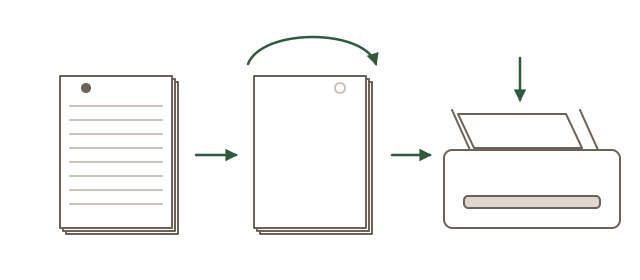
If the order is wrong at the end, the print dialogue usually lets you choose ‘Reverse order’.
Simply print on one side? Not for the A4 ring binder: there the wide margin for the punch holes changes from page to page, so printed on one side, every second page gets its holes in the text. For that, the quarter has the format ‘A4, front only’: every page goes on its own sheet, and the wide margin is always on the left. It needs twice as much paper, and a week spans two sheets – Monday to Wednesday, turn the page, Thursday to Sunday.
A4 in a ring binder: punching and filing
- Punch at the wide margin. Printed on both sides, it lies at the same edge on every sheet; with ‘A4, front only’ it is always on the left.
- An ordinary two-hole office punch will do. Set the guide to A4 and punch in small stacks, then the holes sit in the same place everywhere.
- Ring binder or lever arch file? A two-ring binder is slimmer, lies flatter while you write and fits better on a shelf in the stable. A lever arch file is sturdier but takes up space.
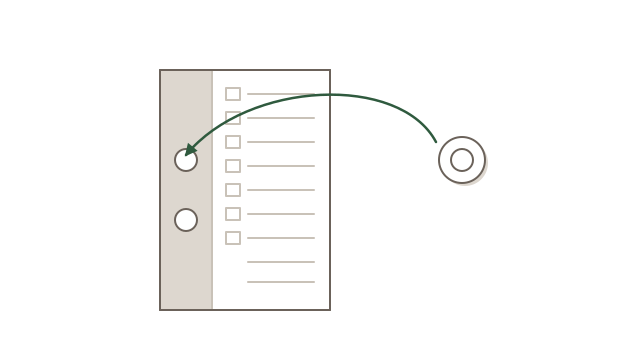
- You turn the weekly pages often, and paper gets damp in the stable. Hole reinforcements (the small self-adhesive rings) stop the holes from tearing.
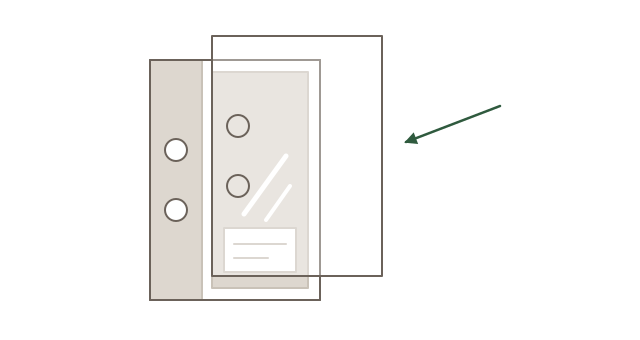
- A clear plastic cover sheet on the front protects the cover – and the photo on it – from dirt and moisture. Stationers sell them as transparent A4 binding covers; a thin one can be punched together with the cover. Or put the cover into a punched plastic sleeve.
A5 booklets: folding and stapling
- Sort the sheets. At the bottom of every sheet it says ‘Booklet 1 · Sheet 3’ in small print. The sheets of one booklet belong together.
-
Fold each sheet on its own, printed side out, and smooth the fold with a fingernail or a ruler.
Folded one by one, the booklet turns out neater than if you fold the whole stack at once.
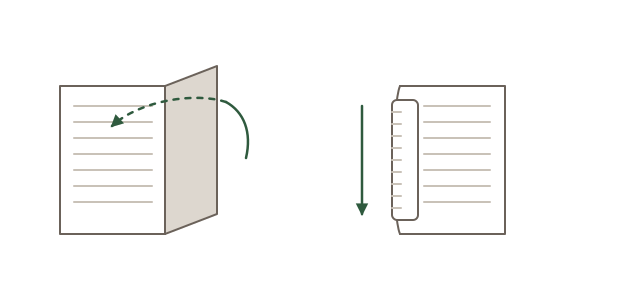
Fold backwards, then smooth the fold. -
Nest them: sheet 1 on the outside, the higher numbers towards the inside.
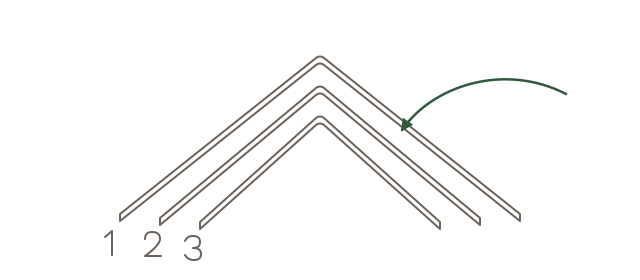
Sheet 1 outside, the higher numbers inside. -
Staple in the fold, with two staples about a hand’s width from the top and bottom edge. Easiest
with a long-reach stapler. Without one: open an ordinary stapler all the way, lay the open
booklet on a thick piece of cardboard, staple through the fold from the outside and bend the staple legs over
on the inside with your thumb.
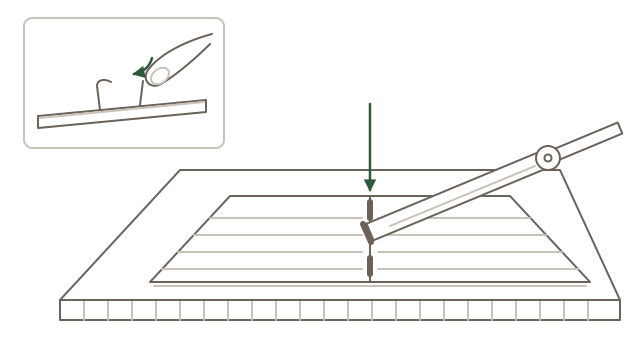
Staple through the fold on the cardboard, then bend the legs over on the inside.
Nine sheets staple well with ordinary staples.
In the stable: protecting and writing
- Keep it dry. Stable air is damp and dusty. In the tack room, in a drawer or in a box with a lid the logbook lasts longest – not on the windowsill in the sun.
- Put a cover on it. For the booklets there are clear A5 exercise book covers, like those for school books. A ring binder with a plastic cover can be wiped clean. On the move, say to the vet, a folder with a fastener protects it.
- Take only the current week with you: With the A4 ring binder you can put the sheets of the current week on a clipboard with a cover that hangs by the stall, and put them back in the binder at the end of the week. That way the whole year stays dry.
- Keep the scale in sight: Print the page with the scale and the initials a second time and laminate it. It can hang by the stall. Do not laminate the pages you write on – no pen holds on them.
- Write with a pencil. It writes in the cold and on damp paper, and it can be rubbed out. A ballpoint pen often gives up in winter, felt-tip pens bleed through to the back. A pencil on a string tied to the ring binder or clipboard is always there when you need it.
- Laser or ink? What a laser printer prints does not smudge, not even with wet hands. Ink can run when it gets wet – then the cover is worth it twice over.
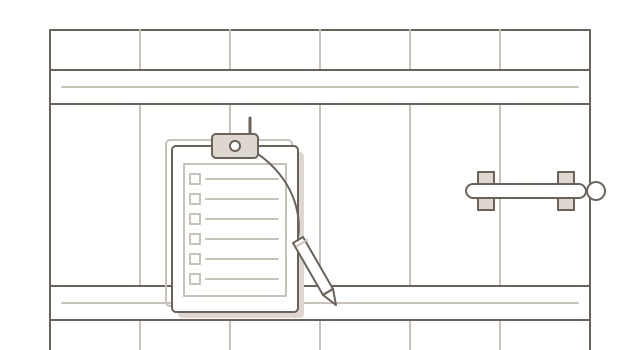
No printer at home?
A copy shop will print the PDF for you: say ‘both sides, actual size’ and which edge to flip on. Many will punch the pages for you on request or bind the A4 pages with a spiral – the wide inner margin is enough for that too. Ask for a clear plastic cover sheet and a cardboard back as well: that way the book is protected front and back.